
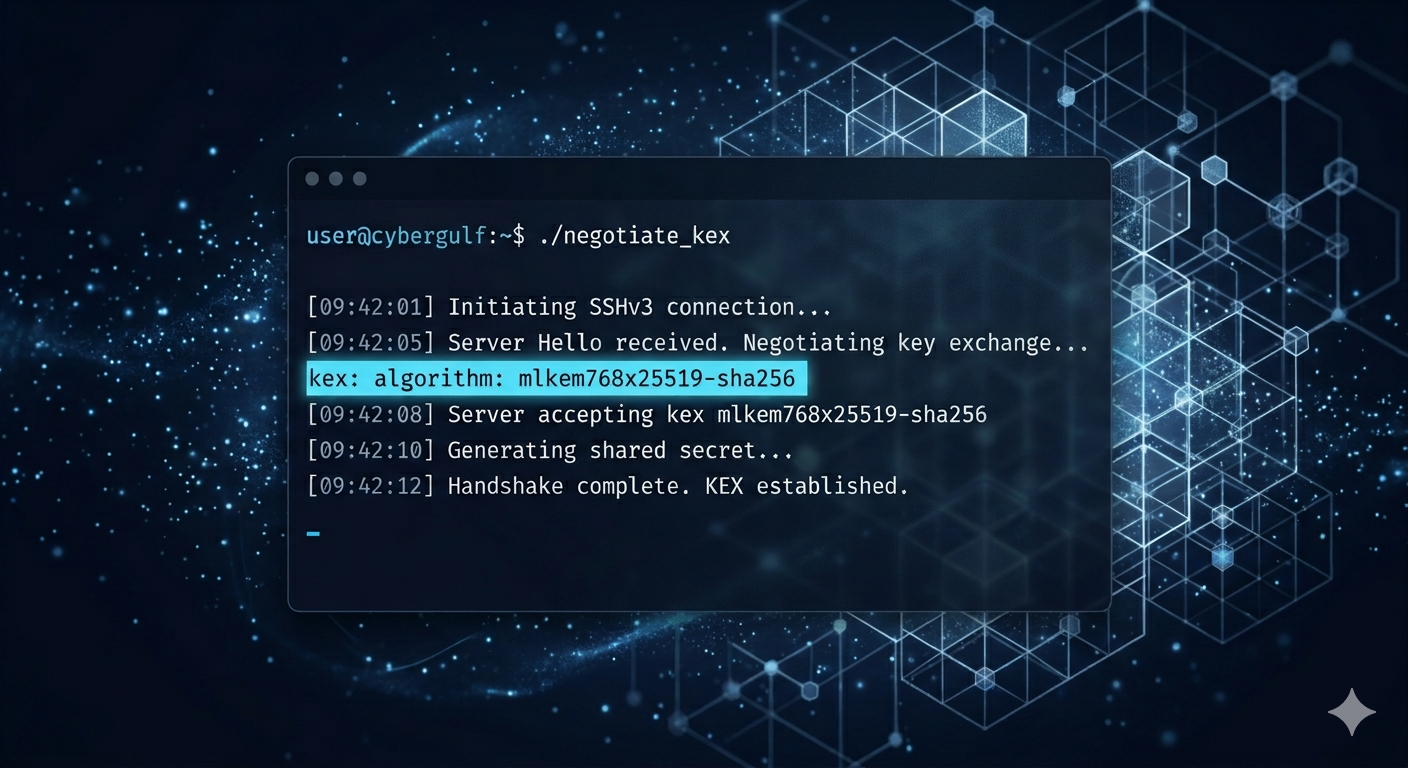
Worried about “Harvest Now, Decrypt Later” attacks against your administrative traffic? Learn how to enable hybrid post-quantum key exchange on your SSH server, harden the rest of your sshd configuration to a modern baseline, and verify that real connections are actually quantum-safe. Distro-neutral best practices from the experts at Byte Shield.
The cryptographic ground beneath SSH is shifting. In August 2024, NIST finalised FIPS 203 — the ML-KEM key-encapsulation mechanism designed to remain secure against quantum computers — and OpenSSH responded quickly. As of OpenSSH 10.0 (April 2025), the hybrid post-quantum key exchange mlkem768x25519-sha256 is the default for new connections. With the current stable release, OpenSSH 10.3p1 (April 2026), enabling and verifying post-quantum (PQ) SSH on your server is a matter of disciplined configuration rather than experimental tinkering.
This guide walks you through enabling PQ key exchange on your SSH server, hardening the rest of the daemon to a modern baseline, and verifying that real connections actually use the post-quantum algorithm. The guidance below is distro-neutral — map “reload the SSH service” to whatever your platform uses.
1. Understand Why Post-Quantum SSH Matters Today
Adversaries do not need a quantum computer today to threaten your SSH traffic tomorrow. Under the “Harvest Now, Decrypt Later” (HNDL) threat model, encrypted traffic captured on the wire today can be decrypted years from now, the moment a sufficiently capable quantum machine exists. SSH is a uniquely attractive HNDL target because administrative sessions carry long-lived secrets — credentials, private keys, source code, database contents, and configuration files — that retain value for many years.
The standards bodies have set a clear migration window:
- NIST FIPS 203 (ML-KEM) was published on 13 August 2024 as the primary post-quantum KEM standard.
- NIST IR 8547 targets the deprecation of classical RSA/ECDH key establishment by 2030 and disallows it entirely by 2035, including for legacy interoperability.
- NSA CNSA 2.0 requires post-quantum algorithms for U.S. National Security Systems on rolling deadlines beginning in 2025.
- UK NCSC, German BSI, and French ANSSI all recommend hybrid classical-plus-post-quantum deployment as the transition state.
OpenSSH’s mlkem768x25519-sha256 is exactly that hybrid construction: it runs ML-KEM-768 and X25519 in parallel and derives the session key from both outputs. An attacker has to break both the classical and post-quantum components to compromise the session. This is the configuration you want in production now.
2. Confirm Your OpenSSH Version
Post-quantum SSH requires modern OpenSSH on the server. Use these commands — they work across every mainstream Linux distribution and on Windows OpenSSH:
- Check the server daemon:
sshd -V - Check the client binary:
ssh -V
Note: ssh -V writes to standard error rather than standard output. To pipe or capture it cleanly, use ssh -V 2>&1.
Minimum Versions to Know
- OpenSSH 9.0 (April 2022) — made
sntrup761x25519-sha512the default key exchange. - OpenSSH 9.6 (December 2023) — added the “strict KEX” countermeasure mitigating the Terrapin attack (CVE-2023-48795).
- OpenSSH 9.9 (September 2024) — added the NIST-standardised
mlkem768x25519-sha256. - OpenSSH 10.0 (April 2025) — made
mlkem768x25519-sha256the default, removed DSA entirely, and isolated pre-authentication code into a separatesshd-authbinary. - OpenSSH 10.3p1 (April 2026) — the current stable release at the time of writing.
For new deployments and hardening exercises, the recommended baseline is OpenSSH 10.0 or later. If your distribution’s package is older, plan an upgrade before continuing.
3. Back Up the Existing Configuration
Before changing anything, take a copy of the current configuration so you can roll back instantly:
- Copy
/etc/ssh/sshd_configto a timestamped backup such as/etc/ssh/sshd_config.backup-YYYYMMDD. - If you maintain drop-in fragments under
/etc/ssh/sshd_config.d/, copy that directory as well. - Record the current set of host keys under
/etc/ssh/ssh_host_*— do not delete or regenerate them unless you have a deliberate reason to rotate them.
4. Apply a Modern, Post-Quantum-First Configuration
Open /etc/ssh/sshd_config (or your equivalent drop-in file) and replace the relevant directives with the values below. Every algorithm name has been verified against current OpenSSH releases; do not substitute them with similar-looking strings you may have seen elsewhere.
A. Cryptographic Algorithms
KexAlgorithms mlkem768x25519-sha256,sntrup761x25519-sha512,curve25519-sha256,[email protected]
HostKeyAlgorithms ssh-ed25519,rsa-sha2-512,rsa-sha2-256
PubkeyAcceptedAlgorithms ssh-ed25519,rsa-sha2-512,rsa-sha2-256
Ciphers [email protected],[email protected],[email protected]
MACs [email protected],[email protected]
The ordering matters: OpenSSH negotiates the first mutually-supported entry, so listing mlkem768x25519-sha256 first ensures any modern client gets post-quantum protection, with sntrup761x25519-sha512 and then classical X25519 as graceful fallbacks. The legacy ssh-rsa algorithm (SHA-1 signatures), ssh-dss, AES-CBC, 3DES, and non-ETM HMACs are deliberately excluded because they are weak, Terrapin-vulnerable, or both.
B. Listener and Access Controls
Port 2222
PermitRootLogin no
PasswordAuthentication no
KbdInteractiveAuthentication no
ChallengeResponseAuthentication no
PermitEmptyPasswords no
PubkeyAuthentication yes
AuthenticationMethods publickey
MaxAuthTries 3
LoginGraceTime 30s
AllowUsers admin deploy
Moving off port 22 to a non-standard high port is a low-effort way to reduce log noise from opportunistic scanners. It is not a security control on its own, but it does make real anomalies easier to spot. PermitRootLogin no, disabling password and keyboard-interactive authentication, and restricting AllowUsers (or AllowGroups) to a short, explicit allow-list are the core authentication controls. MaxAuthTries 3 and LoginGraceTime 30s shrink the window for brute-force probing.
C. Session, Forwarding, and Logging Hygiene
X11Forwarding no
AllowTcpForwarding no
AllowAgentForwarding no
PermitTunnel no
GatewayPorts no
ClientAliveInterval 300
ClientAliveCountMax 2
UseDNS no
LogLevel VERBOSE
Disable every forwarding type you do not explicitly need; you can re-enable individual ones per user or per host using a Match block. UseDNS no avoids reverse-DNS hangs and removes a class of spoofing edge cases. LogLevel VERBOSE records the fingerprint of the public key used for each successful login, which is invaluable for forensic and audit work.
Note: in modern OpenSSH there is no need to specify Protocol 2. SSH protocol 1 has been removed and the directive is obsolete.
5. Validate the Configuration Before Reloading
A typo in sshd_config can lock you out of the host. Never skip this step:
- Run
sshd -tto perform a strict syntax test. It must exit cleanly with no output. - Run
sshd -Tto dump the effective configuration thatsshdwould apply. Spot-check thatkexalgorithmsbegins withmlkem768x25519-sha256and thatpasswordauthenticationisno. - Confirm your public key is installed in
~/.ssh/authorized_keysfor at least one account listed inAllowUsers, and that file permissions are correct (700on~/.ssh,600onauthorized_keys).
6. Reload sshd Without Locking Yourself Out
This is the single highest-risk moment of the entire exercise. Follow this sequence exactly:
- Keep your current SSH session open. Do not close it under any circumstances.
- In a separate terminal, instruct your platform to reload (not restart) the SSH service. Existing sessions are preserved across a reload; only new connections will use the updated configuration.
- From a third terminal (or another machine), open a new SSH session to the server on the new port. If this succeeds, your configuration is live and working.
- Only after the new session is established and you have verified login should you close the original session.
If the new connection fails, return to your still-open original session, restore the backup of sshd_config, and reload again.
7. Verify That Post-Quantum Key Exchange Is Actually Used
A configuration that lists mlkem768x25519-sha256 does not, by itself, prove that a real connection used it. Verify on the wire:
- From a client running OpenSSH 9.9 or later, connect with
ssh -v user@host. - In the verbose output, locate the line
debug1: kex: algorithm: mlkem768x25519-sha256. That confirms the post-quantum hybrid was negotiated end-to-end. - If you see
curve25519-sha256or anything else, the negotiation fell back to a classical algorithm — most often because the client is older than 9.9. Update the client, or accept that this particular endpoint is not yet HNDL-resistant. - To list every key-exchange method your local OpenSSH build understands, run
ssh -Q kex.
8. A Note on the Client Side
Because the SSH handshake is a negotiation, post-quantum protection only happens when both endpoints offer it. Server hardening alone is not sufficient.
- Linux users on rolling distributions are typically already on OpenSSH 10.x and need no action.
- Linux users on long-term-support distributions should check
ssh -Vand update if older than 9.9. - macOS users on older macOS releases should install upstream OpenSSH via a package manager to obtain a current build.
- Windows users should ensure they are running a current build of Windows OpenSSH; the inbox version often lags upstream.
- PuTTY users: PuTTY 0.83 (February 2025) added ML-KEM hybrid post-quantum key exchange. Earlier versions support only NTRU Prime hybrid (
sntrup761x25519-sha512) from 0.78 onward, and the Terrapin strict-KEX fix from 0.80 onward.
A short paragraph in your user-facing access documentation, asking administrators to keep their clients current, costs nothing and meaningfully improves the cryptographic posture of the whole estate.
9. Disclaimer
This guide is provided by Byte Shield for general informational and educational purposes only. It is supplied “as is”, without warranty of any kind, express or implied. Cryptographic configurations, software versions, and security best practices evolve quickly; the recommendations above reflect the state of OpenSSH and the post-quantum standards landscape as of May 2026 and may require revision as new releases and vulnerabilities emerge. You are responsible for testing all changes in a non-production environment, validating compatibility with your client estate, and confirming alignment with your own change-management, compliance, and regulatory obligations before applying them to production systems. Byte Shield accepts no liability for loss, lockout, downtime, or other damage resulting from the use, misuse, or misconfiguration of any guidance contained in this article. When in doubt, engage a qualified cybersecurity professional.
Conclusion
Post-quantum SSH is no longer a research topic; it is a baseline hygiene control. With OpenSSH 10.0 making hybrid ML-KEM the default and OpenSSH 10.3p1 now widely available, every Saudi enterprise that exposes SSH — to administrators, to CI/CD runners, to managed-service providers — should be on a current build with the configuration outlined above. Adopting it today removes your exposure to Harvest-Now-Decrypt-Later attacks and gets you ahead of the 2030 deprecation and 2035 disallowance milestones set by NIST, the NSA’s CNSA 2.0, and allied national authorities.
At Byte Shield, our consultants help organisations across the Kingdom of Saudi Arabia and the wider Gulf region modernise their cryptographic posture as part of broader programmes in penetration testing, configuration review, source-code review, red teaming, vulnerability assessment, DDoS resilience, phishing simulation, and GRC consulting aligned with the NCA’s Essential Cybersecurity Controls (ECC‑2:2024) and SAMA’s Cyber Security Framework.
Ready to make your SSH estate quantum-safe? Contact Byte Shield for a tailored review of your post-quantum readiness and a roadmap for the wider migration.